Start creating stunning AI music videos now — no experience needed.
Try FreeBest AI Music Video Generator
Occasional failures may occur due to high demand. Please try again.



Frequently Asked Questions About the Best AI Music Video Generator
What is the best AI music video generator and how does it work?
The best AI music video generator turns a text prompt or a still image into moving scenes that you then cut to your song. On Veo4.dev you pick a model such as Veo 4, Kling 3.0 or Seedance 2.0, describe the mood, the light and the camera, and choose the duration, resolution and aspect ratio. The best AI music video generator shows the credit cost before you submit. Be clear about one thing: this tool does not analyze an audio file and does not compose music. The best AI music video generator delivers the pictures, and you set the timing to your track in any video editor. Scene by scene, you build the footage for the intro, the verses and the chorus, so the best AI music video generator replaces the camera, not your song.
Why should I choose the best AI music video generator over traditional video production?
A traditional shoot needs a director, a camera crew, lights, a location and days of post-production. The best AI music video generator removes that work for many scenes. You test an idea, drop it and try the next one without a crew waiting, which helps independent artists make visuals their budget could not cover. The best AI music video generator is strongest at surreal worlds, fantasy landscapes, retro looks and abstract visualizers. Each new version costs credits, and the cost is shown before you submit. When the band must appear live on stage, real footage still makes sense. Many artists combine both and use the best AI music video generator for cutaways, visualizers and teasers, so the best AI music video generator adds to your production instead of replacing all of it.
What features should I look for in the best AI music video generator?
Look at the models, the formats and the price transparency. The best AI music video generator on Veo4.dev gives you several models in one account: Veo 4 makes 4, 6 or 8 seconds at 720p or 1080p with sound, Veo 3.1 adds a first and a last frame, Kling 3.0 makes 5, 10 or 15 seconds and is the only 4K option, Seedance 2.0 makes 5 or 10 seconds up to 1080p with optional sound, and Wan 3.0 makes one 30 second take at 480p. Vertical 9:16, wide 16:9 and, on some models, 21:9 are available. The best AI music video generator does not detect beats, sync lyrics or read your audio file, so plan to edit the clips to your track. Choose the best AI music video generator that shows the credit cost before each job and refunds failed jobs, as Veo4.dev does.
How does the best AI music video generator handle different music genres?
The best AI music video generator follows what you write in the prompt, so it adapts to any genre. For EDM and techno, ask for strobe light, concrete halls and fast camera moves. Hip-hop works with night street scenes and wide lenses. Rock and metal call for fire, smoke and backlight, while classical music suits elegant rooms and slow, flowing motion. Pop likes bright colors and bold styling, jazz suits smoky, warm interiors, and ambient music works with slow nature shots or abstract shapes. The best AI music video generator does not hear your track, so describe the tempo and energy in words: calm, driving or explosive. The more precisely you state the color palette and camera style, the closer the best AI music video generator gets to your sound.
Can the best AI music video generator create lyric videos?
Yes, in two steps. First, the best AI music video generator creates calm backgrounds: drifting clouds, glowing cities, floating particles or color gradients. Then you add the lyrics in your video editor, where you control the font, the timing and the animation exactly. The tool does not sync text to vocals, and text rendered directly by video models is often unreliable, so let the best AI music video generator make only the pictures. Use 9:16 for a lyric clip on Reels and Shorts and 16:9 for a YouTube version. This split keeps the words readable and the timing precise. The best AI music video generator supplies the atmosphere and you supply the words, which is why many artists start a release with a lyric video built on clips from the best AI music video generator.
What audio formats does the best AI music video generator support?
None. The best AI music video generator on Veo4.dev works from text and images, not from audio files, so you cannot upload an MP3, WAV or FLAC track, and there is no automatic beat detection. You sync the clips in your editor instead, which is easier than it sounds: at 120 BPM one bar lasts two seconds, so an 8 second Veo 4 clip covers four bars. Plan your clip lengths in the best AI music video generator around the tempo, put hard cuts on the snare and long shots in quiet passages. Veo, Kling 3.0 and Seedance 2.0 can generate their own native sound, but for a music video you usually mute it and keep your track. The best AI music video generator makes the visuals, and your song stays the foundation of the best AI music video generator workflow.
How long does the best AI music video generator take to create a video?
Most clips are ready in a few minutes, but there is no fixed guarantee. The time depends on the model, the resolution, the length and the current queue, and a 30 second Wan 3.0 take needs more time than a short test. The best AI music video generator makes one clip of up to 30 seconds per job, so a three to four minute song is built from many clips. While the best AI music video generator works, you can write the next prompt. Finished videos appear on the result page and in your video history, and a failed job returns its credits. Make two or three versions of each key scene. With the best AI music video generator you can collect more footage in one afternoon than on many shoot days.
Can I customize the visual style in the best AI music video generator?
Yes, mainly through the prompt. In the best AI music video generator you set the look with words for the style, color palette, light, lens and motion, such as analog film, 35 mm, golden hour or slow dolly. On Kling v2.5 Turbo Pro, a negative prompt excludes unwanted elements, and Wan AI 2.2 and Happy Horse 1.0 accept a seed for comparing versions. A reference image, such as your album cover, guides the scene toward your artwork. There are no beat-reactive presets or particle sliders; everything comes from the prompt, the model and the image. Keep one fixed style block in every prompt, and each clip from the best AI music video generator will match. That consistency is what makes the best AI music video generator useful for a full release.
Is the best AI music video generator suitable for professional music releases?
It can supply professional-looking scenes, but check the terms first. The Veo4.dev Terms of Service govern how you may use generated videos, so read them before a commercial release on streaming platforms or in paid ads. Your music must belong to you or be licensed, and reference images must not infringe anyone else's rights. Do not describe real celebrities or protected brands in the best AI music video generator. Output tops out at 4K with Kling 3.0, 2K with MiniMax H3 and 1080p with the Veo models, which is enough for YouTube and social platforms. Videos are stored on our own storage, so download links do not expire after 24 hours. With these points settled early, the best AI music video generator is a safe tool, and the best AI music video generator footage stays ready for your edit.
How does the best AI music video generator compare to hiring a video production team?
Each approach has its strengths. The best AI music video generator costs credits per clip instead of crew rates, location rentals and post-production fees, and every new version costs credits too, shown before you submit. Speed is the other advantage: you get usable scenes in minutes and can test ideas a production team would need days to shoot. You also do not coordinate schedules, locations or equipment. Traditional production still wins for live performances, band footage, narrative scenes with actors and specific concepts that need physical sets. Many artists use a hybrid workflow: visualizers, cutaways and teasers from the best AI music video generator, live footage for flagship releases. The best AI music video generator is also ideal for demos and for testing a concept before you pay for a full shoot.
What social media platforms work best with content from the best AI music video generator?
Clips from the best AI music video generator fit all major platforms. Choose 9:16 for TikTok, Instagram Reels and YouTube Shorts, which Veo 4, Veo 3.1, Kling 3.0, Seedance 2.0 and other models offer. Use 16:9 for a classic YouTube video at up to 1080p with Veo or up to 4K with Kling 3.0, and 1:1 for feed posts. Short looping clips also suit Spotify Canvas. The best AI music video generator shows only the formats each model supports. Each clip runs 4 to 15 seconds on most models, or 30 seconds with Wan 3.0, so you join clips in an editor for longer posts. Tip: render key scenes in two formats right away instead of cropping later. A teaser from the best AI music video generator builds interest before the full release.
Can the best AI music video generator create animated or abstract visuals?
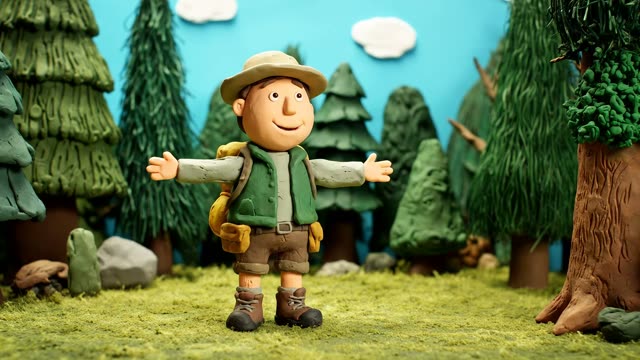
Yes. The best AI music video generator handles abstract and animated styles well, because everything comes from your prompt. Ask for flowing shapes, particle clouds, geometric patterns, liquid simulations, cosmic imagery or fractal-like forms for electronic, ambient and experimental tracks. For animation, describe anime-inspired scenes, cartoon styles, clay looks or motion-graphics aesthetics. The visuals do not react to your audio frequencies, so you match their energy to the song in the edit. Seedance 2.0 and Kling 3.0 are good choices for stylized looks, and Wan 3.0 gives one long 30 second take for a slow visualizer. These styles would cost far more from a motion graphics studio, which is why the best AI music video generator opens them to artists on any budget. Test a few prompts in the best AI music video generator before you commit.
How do I get the best results from the best AI music video generator?
Start with a plan. Split the song into intro, verses, chorus, bridge and outro, note the tempo, and write one image idea per section plus a shared style block. A good prompt for the best AI music video generator follows the order subject, action, setting, light, camera, style, for example: a dancer in a red dress spins on a wet rooftop at night, neon reflections, slow orbit, cinematic look. In a 5 to 10 second clip, one strong movement works better than many. Use a reference image to guide the look, and on Kling v2.5 Turbo Pro a negative prompt to exclude unwanted elements. Test at low resolution, then render the final clips at full quality. Make several versions with the best AI music video generator, download them, and cut them to your track. The best AI music video generator supplies the raw footage; your edit makes the music video.
Does the best AI music video generator support collaboration and team workflows?
Not as team accounts. Veo4.dev has no shared seats, shared projects, comment tools, approval roles or API for this page; each account has its own credits and its own video history. Teams still work well together: one person creates the scenes in the best AI music video generator and shares the download links with the editors. Because videos are stored on our own storage, the links stay available. Keep prompts and style blocks in a shared document so every clip from the best AI music video generator matches. Downloads are standard video files that open in Premiere Pro, Final Cut Pro and DaVinci Resolve. Sign-in works with Google, GitHub or an email code, and payment runs through Stripe. With this simple setup, the best AI music video generator serves a band or a small label without extra tools.
What makes our platform the best AI music video generator available today?
Veo4.dev is an independent platform that brings leading video models together: Veo 4, Veo 3.1, Kling 3.0, Seedance 2.0, MiniMax H3, Wan 3.0, Happy Horse 1.0, Hailuo 2.3 and more. In the best AI music video generator you use one account, one credit balance and an interface in 10 languages. Every job shows its credit cost first, failed jobs are refunded, and results are stored without expiring links. Output reaches 1080p with Veo, 2K with MiniMax H3 and 4K with Kling 3.0. We do not offer audio upload, beat detection or lyric sync, and we say so plainly. New users get one free 5 second Seedance Lite video after sign-in, and plans start at $19.99/month billed yearly. If you want honest prices and a wide model choice, try the best AI music video generator today and give your next song strong visuals with the best AI music video generator.
Ready to Create Your AI Music Video?
Use the best AI music video generator to turn your song idea into strong visuals. New users get one free starter video after sign-in.
Start Creating Music VideosLast updated October 17, 2026 · By Long Cheng