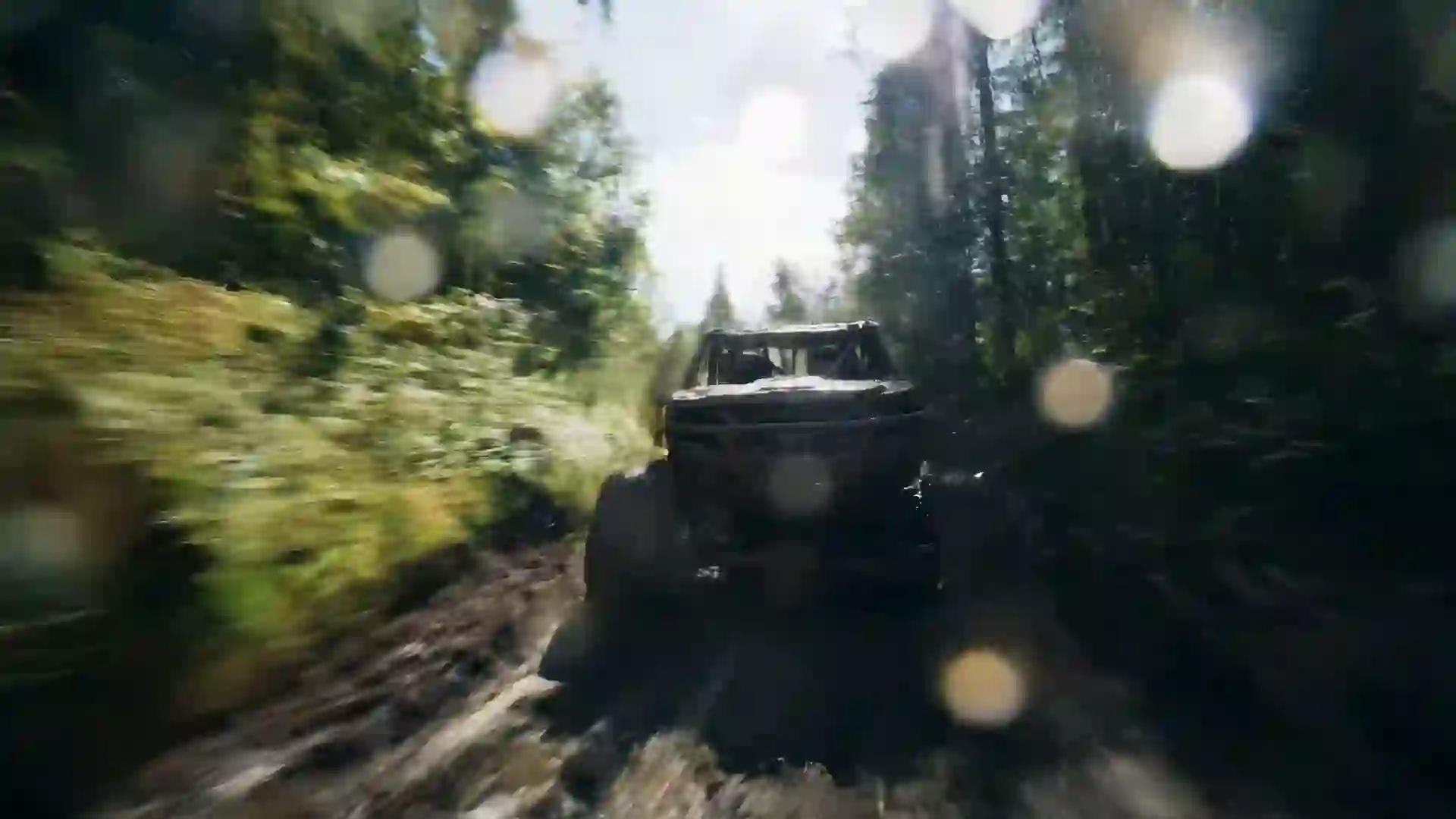

AI Horror Video Generator
Write a nightmare and watch it play out as a cinematic horror clip, starting with one free video for new users after sign-in.




Build Fear One Shot at a Time
The Veo 4 AI horror video generator turns a written scene into a short, atmospheric clip: a hallway where a door creaks open on its own, a figure standing too still at the edge of a forest, a flickering basement light that reveals something new each time it comes back on. You describe the setting, the subject, the camera and the light, and the model renders a shot built for suspense. You do not need a location, actors, practical effects or a night shoot. You need a clear idea of what should scare the viewer.
Horror depends on realism and sound more than most genres, so model choice matters. Veo 4 and Veo 3.1 are strong picks for photoreal scenes with convincing low light, and some models generate sound such as wind, creaking wood or distant footsteps that make a clip feel complete. Kling 3.0 and Hailuo 2.3 handle stylized horror, such as dark animation or surreal creature motion. Wan 3.0 can hold a slow, unbroken take for up to 30 seconds at 480p, and Seedance 1.5 Lite gives you a free first test. Run the same prompt on two models and compare.
Each generation is a short clip, usually 4 to 10 seconds. That is the right length for a jump scare, an unsettling reveal, an establishing shot of a haunted house or one beat of a found-footage sequence. For a full trailer or a short film, write a shot list, generate each moment with matching light and color, and cut them together in any video editor. Horror rewards this approach, because quick cuts between short shots are already how the genre builds tension. Keep a shared color grade in every prompt so the cuts feel like one film.
AI Horror Video Generator Features
All of these controls sit in the wizard at the top of the page.
Text to horror scene
Describe the scare in plain words: the place, the time of night, what the camera sees and what moves. The model renders realistic or stylized horror depending on your style words, from grainy VHS footage to clean cinematic shots with deep shadows and cold color grading.
Image to horror video
Upload a photo of an abandoned building, a creepy doll or a dim corridor and animate it. Image-to-video keeps the location you chose as the first frame, then adds the motion you describe, such as fog rolling in, a light failing or a shape moving behind a window.
Realism and sound options
Veo 4 and Veo 3.1 suit photoreal low-light scenes and some models generate sound, which adds creaks, breathing or wind. Kling 3.0 and Hailuo 2.3 fit stylized and surreal horror. Wan 3.0 gives longer takes, and Seedance 1.5 Lite is the free model for a first try.
AI Enhanced Prompt
Start with a short idea such as "something in the attic" and let the enhancer add camera position, light source, color temperature and atmosphere. Review the expanded prompt, remove anything you do not want, and keep the specific detail that makes your scare original. Short prompts become complete shot descriptions.
Vertical and widescreen framing
Choose 9:16 for horror shorts on TikTok, Reels and YouTube Shorts, or 16:9 for trailers and YouTube videos. Composition and filter controls help you frame dark negative space, which is where viewers search for the threat and where good horror shots hide it. Leave space for subtitles in vertical frames.
Downloads and fair credits
Clips download as MP4 files, without a watermark on paid plans, ready for your editor. Credits are deducted before generation begins, and a failed generation is refunded automatically, so you can retry a dark, tricky shot without losing credits to errors. Low-light shots often need a second pass.
Horror Video Prompt Examples
Use these prompts as written or change the location and the threat to fit your story.
The hallway door
Cinematic horror, a long dark hotel hallway with patterned carpet, a door at the far end slowly creaks open by itself, static symmetrical shot from the opposite end, single flickering ceiling light, cold green tint, heavy shadows, quiet and tense atmosphere.
Figure in the trees
Found-footage horror, handheld camera walks along a forest path at night lit only by a flashlight beam, the beam sweeps right and briefly catches a pale motionless figure between the trees, shaky movement, grainy low-light noise, desaturated colors.
Basement light
Realistic horror scene, a bare bulb swings in a damp stone basement, each time the light passes the far corner a shadowy shape stands slightly closer, locked-off camera at eye level, harsh warm light against deep black shadows, dust floating in the air.
VHS living room
1980s VHS horror aesthetic, a quiet suburban living room at 3 a.m. with a television showing static, the rocking chair beside it begins to rock slowly with no one in it, static wide shot, tracking lines and color bleed, dim blue television glow.
Lake fog
Atmospheric horror, thick fog rolls over a still black lake at dawn, a small wooden rowboat drifts out of the mist with no one aboard, slow dolly forward along the dock, muted gray-blue palette, soft diffused light, eerie silence.
Doll in the window
Gothic horror, exterior of an old Victorian house during a thunderstorm, a porcelain doll sits in an upstairs window and slowly turns its head toward the camera, slow push-in from the front gate, lightning flashes reveal the facade, cold blue moonlight, rain streaks.
How to Make a Horror Video with AI
Follow these steps in the wizard at the top of the page to generate your first scare.
- 1
Write the scare
Describe the location, the time, the light source and the one thing that is wrong in the scene. Add camera direction, such as a static shot or a handheld walk. If your idea is short, turn on AI Enhanced Prompt to build out the atmosphere and the shot details for you.
- 2
Add a location image
Optionally upload a photo of a real place, a prop or concept art to use image-to-video. The clip opens on your image, which lets you control the setting precisely and keeps a series of shots in the same haunted house or forest.
- 3
Set the look and format
Choose a style, filter and composition that suit horror, such as a desaturated or grainy look. Set the aspect ratio, 16:9 for trailers and 9:16 for vertical horror shorts, and pick a duration your model and plan allow. Short clips keep scares tight.
- 4
Pick a model and generate
Choose Veo 4 or Veo 3.1 for photoreal low light and sound, Kling 3.0 for stylized horror, Wan 3.0 for a long take, or Seedance 1.5 Lite for your free first clip. Generate, review the result in a dark room, then download the MP4 or refine the prompt.
Uses for an AI Horror Video Generator
Horror creators use short generated clips at every stage of a project.
Creepypasta and scary story channels
Narrated horror stories need visuals that match each beat. Generate a shot for every key moment, such as the cabin, the knock and the figure in the doorway, then lay your narration over them in an editor. Consistent color and grain keep the whole video in one mood.
Horror shorts for social feeds
Vertical 9:16 clips with a single unsettling reveal perform well as standalone posts on TikTok, Reels and YouTube Shorts. A three-second slow build followed by a small, wrong detail is often scarier than an obvious monster. Add text or a sound cue to land the moment.
Trailer and teaser cuts
Assemble a teaser for a horror film, game or podcast from a set of generated shots: an establishing exterior, a hallway, a hand on a doorknob, a final flash of the threat. Quick cuts and black frames between shots build the rhythm that horror trailers rely on.
Filmmaker previsualization
Test a scare before you light a set. Generate the shot with the angle, lens feel and lighting you plan to use, and see whether the timing works. Showing a generated preview to your cinematographer or crew is faster than describing a mood in words.
Halloween content
Make seasonal clips for shop windows, event screens, party backdrops or social campaigns: fog over a graveyard, candles guttering in a hallway, a jack-o'-lantern flickering on a porch. Looping a slow 16:9 clip on a screen sets the tone for a whole room. Short clips also work well in stories.
Game and tabletop atmosphere
Game masters and indie developers use short horror clips as mood pieces for sessions, store pages and pitch decks. A clip of the dungeon, the cursed village or the derelict ship tells players what kind of fear to expect before the first roll or the first level.
Horror Prompt Tips That Actually Build Dread
Name the light source
Horror lives in what light hides. State a single, specific source: a flashlight beam, a flickering fluorescent tube, a television glow, lightning through a window. One motivated source with deep shadows gives a clip far more tension than a vague "dark scene", which can come out muddy.
Show less than you think
Suspense beats spectacle. Ask for a figure at the edge of frame, a shape behind frosted glass or a door that opens on darkness. Partial reveals look more convincing in generated video than a detailed monster in full light, and they leave the scariest part to the viewer.
Slow the camera down
Use a locked-off static shot, a slow push-in or a careful handheld walk. Fast camera moves in a short clip read as action rather than fear. Stillness lets the audience scan the frame and notice the small wrong detail you placed in it.
Grade the color in the prompt
Write the palette you want: desaturated blue-gray, sickly green fluorescent, warm amber against black, washed-out VHS colors. A consistent grade across all shots makes a sequence feel like one film. Add film grain or low-light noise for found-footage realism. Repeat it in every prompt.
Write one wrong detail
The strongest horror prompts describe a normal scene with a single thing out of place: a chair that rocks, a reflection that does not move, a child's drawing that changes. Keep the rest ordinary and specific, so the one wrong detail carries the whole clip.
AI Horror Video Generator FAQ
Practical answers for making horror clips with AI.
Can I try the AI horror video generator for free?
Yes. New users get one free 5-second 480p video with Seedance 1.5 Lite after signing in. That is enough to test a single scare, such as a door opening or a light flickering. Paid plans unlock Veo 4, Kling 3.0 and the other models, plus longer durations and higher resolutions.
Which model is best for horror videos?
For realistic horror, start with Veo 4 or Veo 3.1, which handle low light well and can generate sound. For stylized, surreal or animated horror, try Kling 3.0 or Hailuo 2.3. For a slow, unbroken take of up to 30 seconds at 480p, use Wan 3.0. Testing one prompt on two models is the quickest way to decide.
Can horror clips include sound effects?
Some models, including Veo 4 and Veo 3.1, can generate native audio such as wind, creaking floors, distant footsteps or whispered dialogue. Other models produce silent clips. There is no music library or voice cloning, so many creators add a score and extra sound design in their editor for a stronger result.
How long can a horror video be?
Most clips run 4 to 10 seconds, depending on the model and plan. Wan 3.0 can produce up to 30 seconds at 480p. A full trailer or short film is made by generating each shot separately with matching light and color, then editing the shots together in any video editor.
Can I make a found-footage style video?
Yes. Ask for a handheld camera, a flashlight or night-vision look, grainy low-light noise and a first-person point of view. Phrases like "shaky handheld", "camcorder footage" or "VHS tracking lines" help. Keep each clip to one moment, then cut several together to build a found-footage sequence. Night-vision green works well too.
Can I animate a photo of a real location?
Yes. Upload the photo as a reference image and describe the change you want, such as fog creeping across the floor or a window light switching on. The clip starts from your photo. Use pictures you took yourself or have the right to use, and avoid photos of identifiable people without consent.
What aspect ratio works for horror shorts and trailers?
Use 9:16 for TikTok, Instagram Reels and YouTube Shorts, and 16:9 for YouTube videos and trailers. Vertical frames suit tall reveals like a figure at the top of the stairs, while widescreen frames suit empty rooms and long corridors. Choose the ratio before you generate. Some creators make both versions of a key shot.
Can I use generated horror clips in my film or channel?
Paid plans give you MP4 downloads without a watermark, which many creators use in videos, trailers and social posts. Check the terms of service for usage rights before you publish or sell anything. Keep prompts to original monsters and settings rather than existing film characters. Original ideas are easier to publish.
Make Your First Horror Clip Tonight
Describe the scene that keeps you up at night and see it on screen. New users get one free video after sign-in.
Last updated October 7, 2026 · By Long Cheng